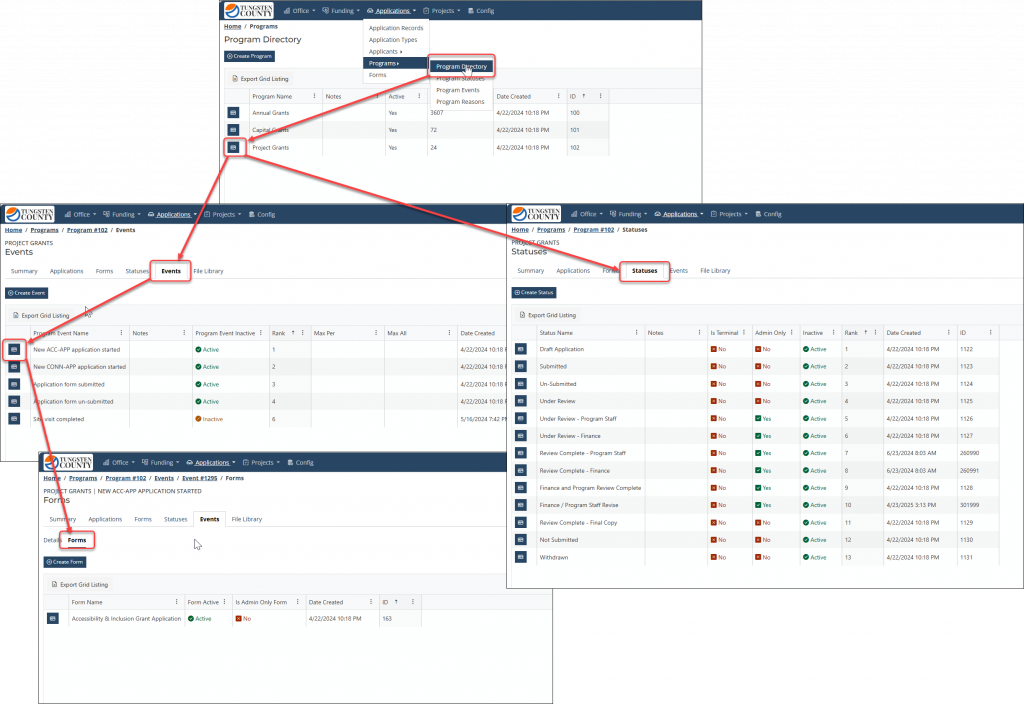
NewAdmin portal users can now create a brand new Program and configure it with all the needed events, statuses, and forms, as well as create and launch new "Application" types.
This upgrade also provides additional visibility into the existing workflow configuration of events and statuses, and allows admin users to make self-service edits to all those Program configurations.
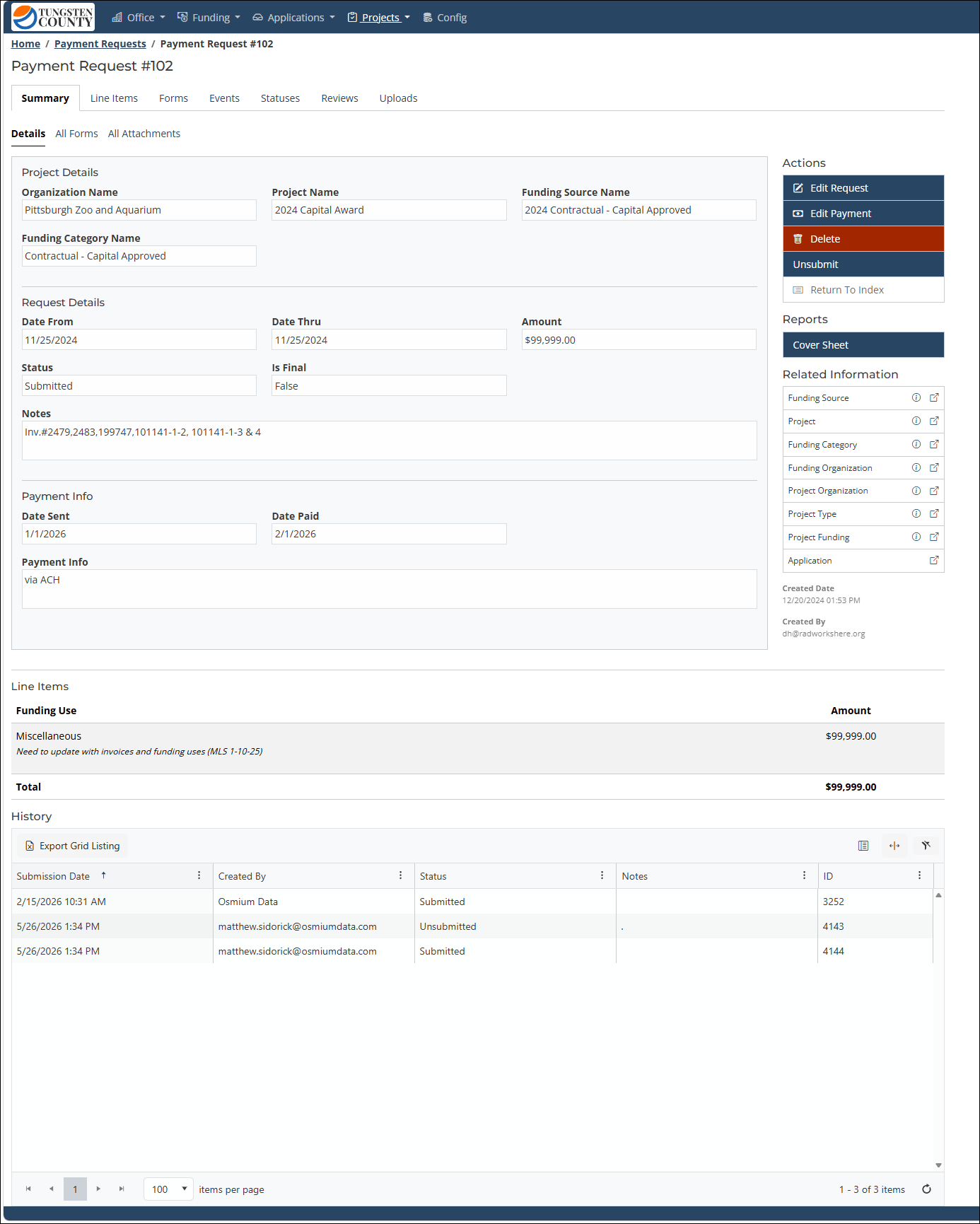
ImprovedThe payment request summary/detail view now includes additional contextual information to reduce the number of pages admin portal users need to visit.
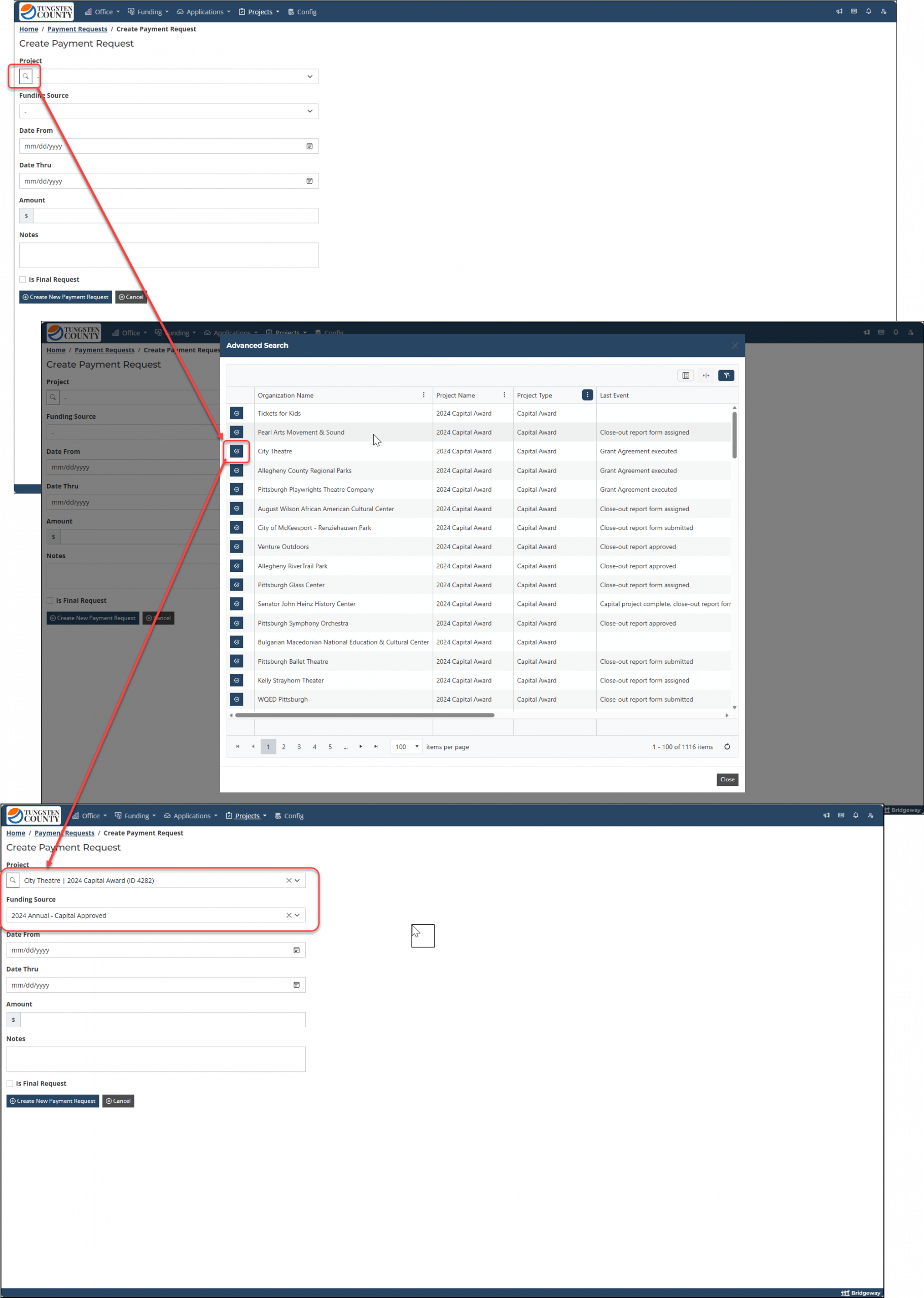
ImprovedAdmin portal users can now search for the "Project" of a new payment request record using all the sort/filter capabilities of the main "Projects" data grid.
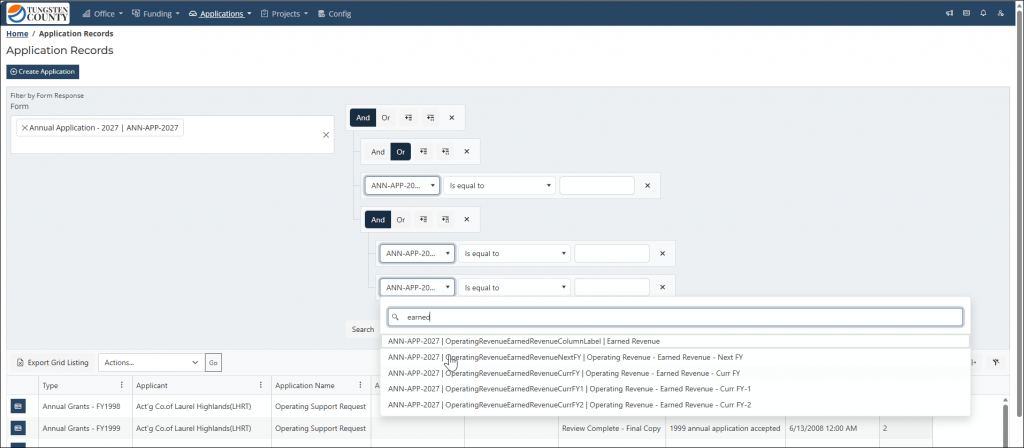
ImprovedThe "Filter by form response" advanced query builder control now supports searching for form fields on selected forms rather than needing to find by scrolling.
Admin portal users can now create a brand new Program and configure it with all the needed events, statuses, and forms, as well as create and launch new “Application” types.
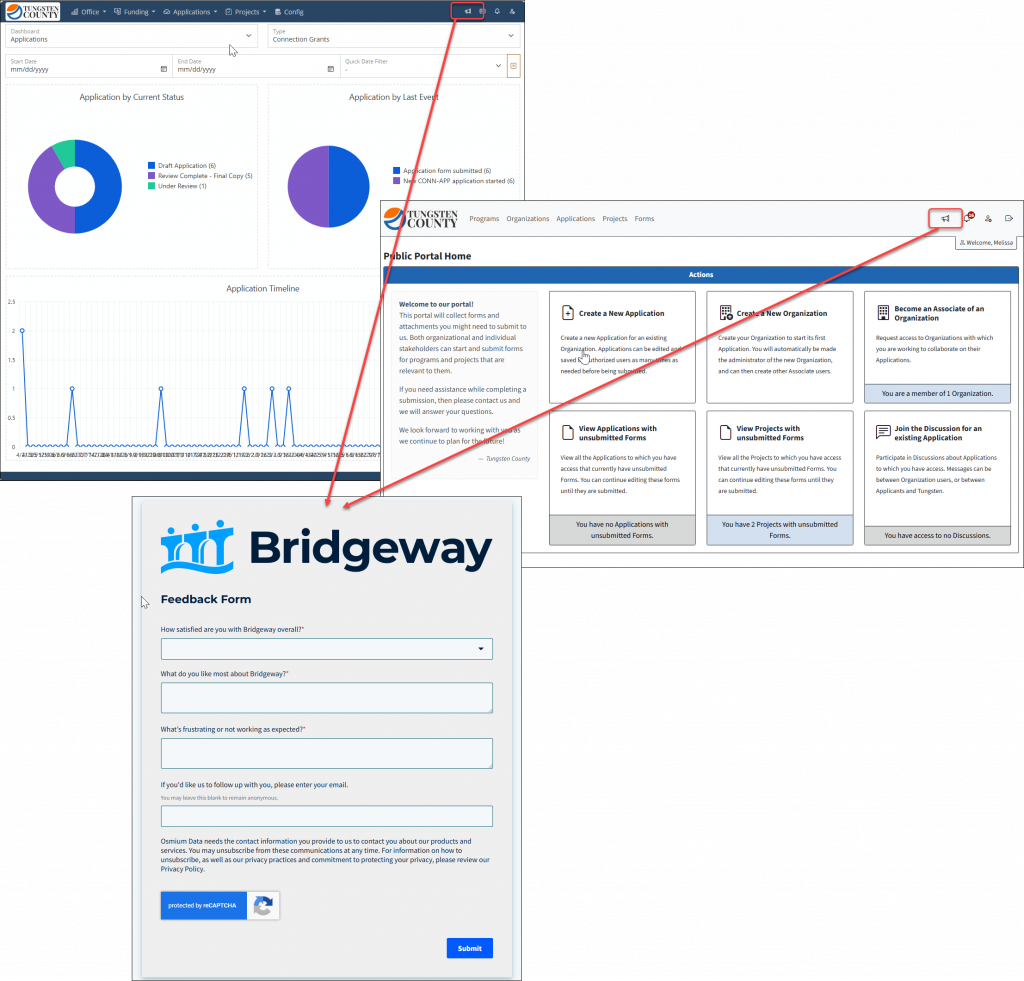
Users in both the public and admin portal can now send direct feedback from any page on which they may be working.
Submit/un-submit “Project” forms similarly to “Program Application” forms.
The reviews shortcut in the navigation header now includes “My Completed Reviews” for reference in addition to “My Incomplete Reviews”.
Improved
The payment request summary/detail view now includes additional contextual information to reduce the number of pages admin portal users need to visit.
Admin portal users can now search for the “Project” of a new payment request record using all the sort/filter capabilities of the main “Projects” data grid.
The “Filter by form response” advanced query builder control now supports searching for form fields on selected forms rather than needing to find by scrolling.
Form Builder upgrades:
Added admin-only badge to visually surface that setting.
Modified form builder to automatically refresh when saving anything inside the builder modal.
Hide “Map Fields” nav per config setting, so users should not be able to create unless maps are “configured”.
Added On/Off toggle for field/group drag-and-drop movement to avoid accidental form element moves.
Made file attachment extensions case-insensitive.
Form page and group notes/descriptions now support markdown.
The Office > Forms Management section now only restricts Form Builder to “Administrator” users by default. Other users can be given access to the Form Builder via custom roles or individual permissions.
External links always open in a new tab/window, and HTTPS protocol is automatically added when missing in URL text.
Additional form field percentage masks allowed.
Fixed
Date columns no longer break data grid state saving.
Supertitle added for context in Project > Reviews.
The “Compile Form Responses” utility will now accommodate dates prior to 1/1/1900. This an alignment with the Microsoft Excel export files. Dates prior to 1/1/1900 will be exported as text values, while dates on or after 1/1/1900 will continue to export as date values.
The multi-line “Notes” of records will now maintain any line breaks entered when viewed on a record Details/Summary page.
Fixed calculator rounding error when adding/subtracting decimals.